Help ›
Sell your Grail pieces at your price on Below
Move your pieces from Grail to Below in about a minute, then set the price you want for them.
Short version
- On Below: tap your name at the top right, then Add money › Cards from Grail. Copy your Below address.
- On Grail: open Portfolio and tap Withdraw on the card. Paste your Below address, enter how much, and tap Withdraw.
- Back on Below: the card shows up in about a minute. Tap Sell it.
- Choose At your price, set your price per card and how much of yours, then tap Put it up for sale. It sells at your price or higher.
Step 1: Copy your Below address
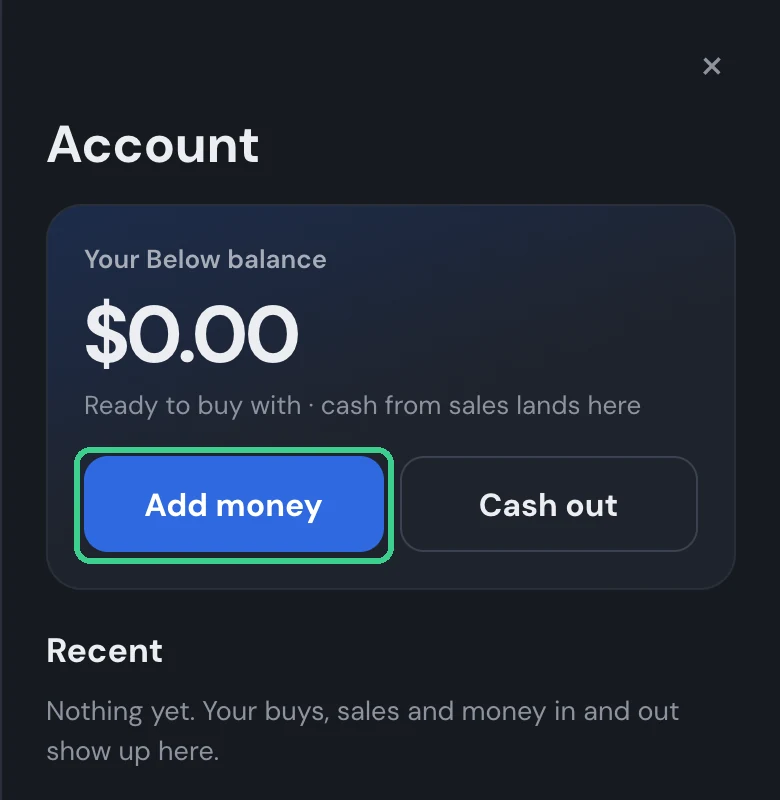
- On Below, tap your name at the top right. Your account opens. Tap Add money.
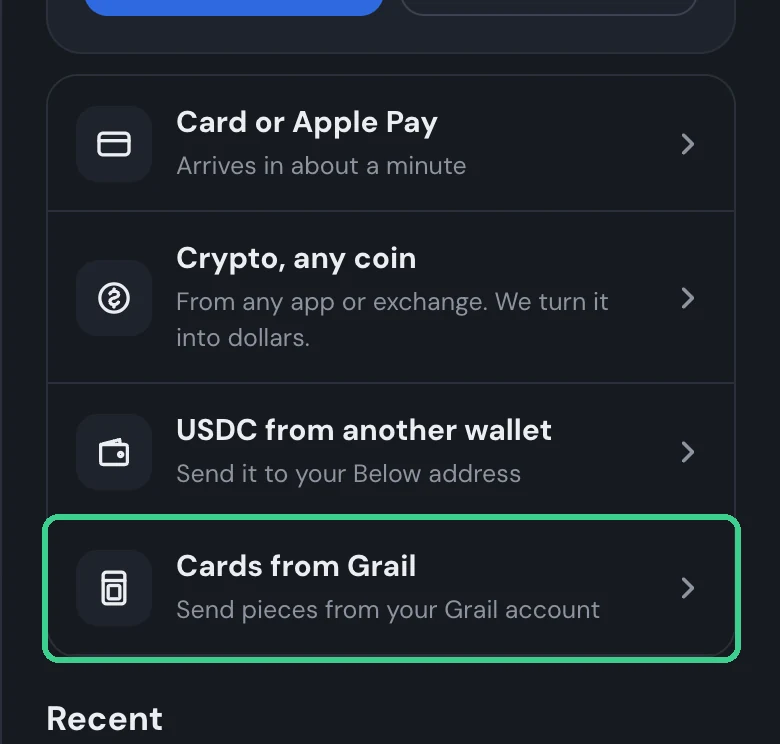
- Tap Cards from Grail.
- Tap Copy next to your Below address.
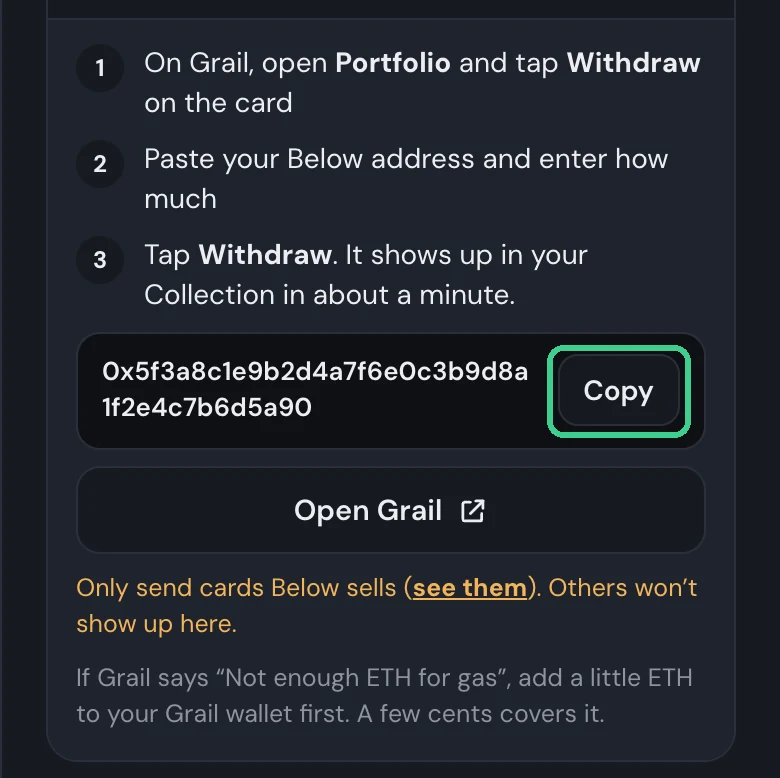
- Send it to this address even if you signed in to Below with your Grail wallet. It's your Below account's own address.
- Only send cards Below sells. Others won't show up on Below.
Step 2: Send it from Grail
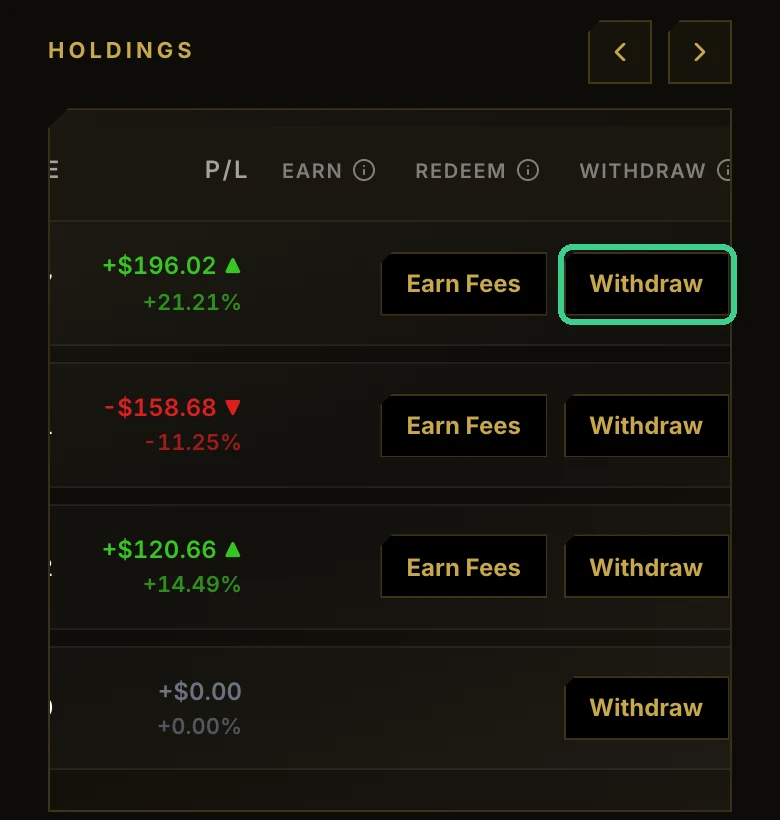
- On Grail, open Portfolio and tap Withdraw on the card. On a phone, swipe the table left to find it.
- Paste your Below address under Destination wallet. Under Amount, enter how much you want on Below.
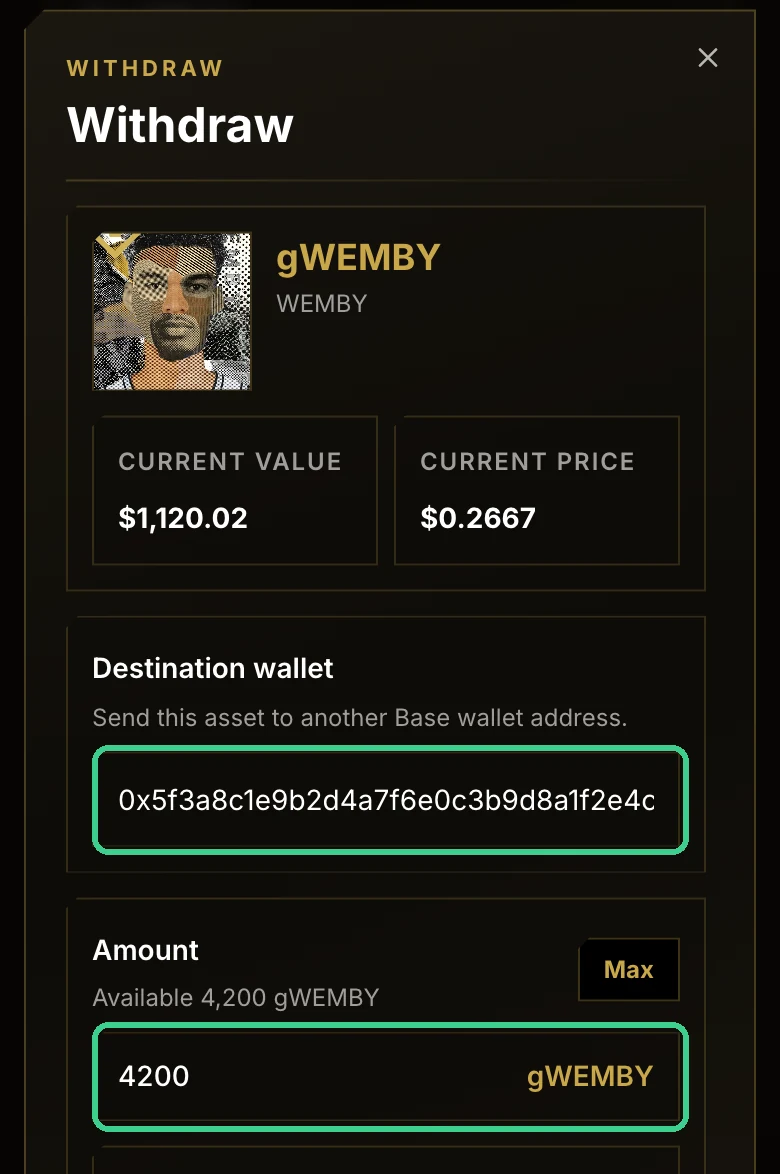
- Tap Withdraw and wait for Grail to say it's sent.
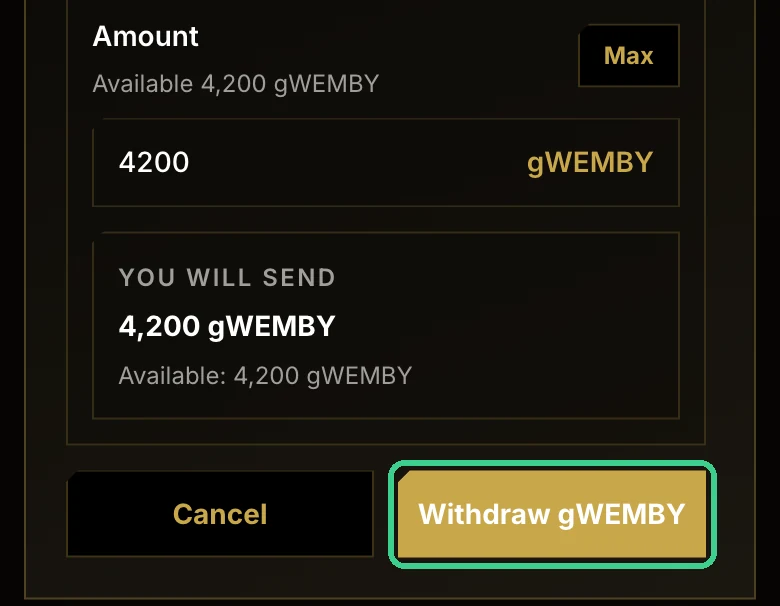
If Grail says Not enough ETH for gas, add a little ETH to your Grail wallet first. A few cents covers it.
Step 3: It comes in on Below
In about a minute, a Came in card pops up on Below with your card and what it's worth today. Tap Sell it.
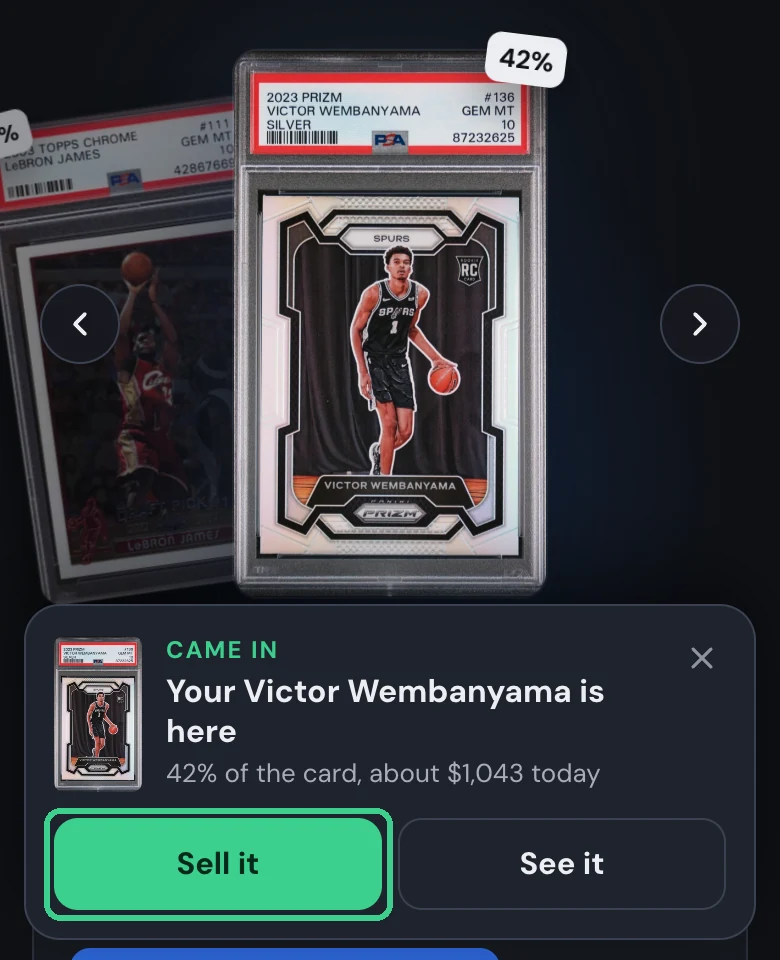
The card also stays in your Collection, where you can sell it any time.
Step 4: Set your price
The sell page asks three things, then shows what you get.
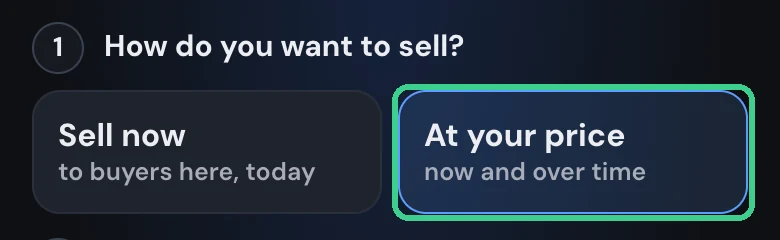
- Under How do you want to sell?, tap At your price. (Sell now sells to buyers here at today's price instead.)
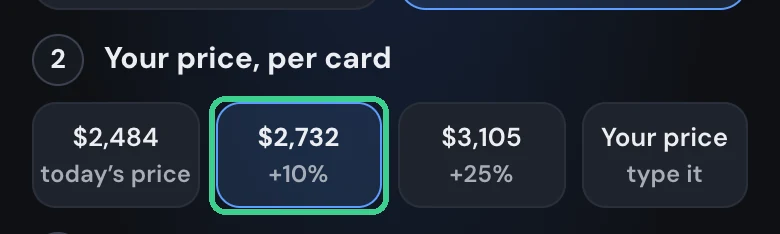
- Under Your price, per card, tap a suggested price, or Your price to type your own.
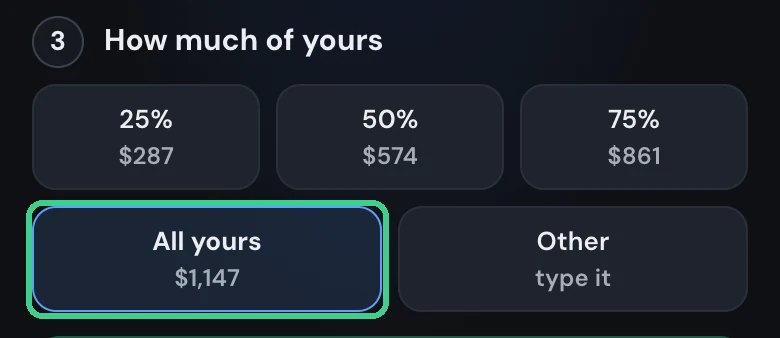
- Under How much of yours, pick 25%, 50%, 75%, All yours, or any amount.
- Check You get, then tap Put it up for sale.
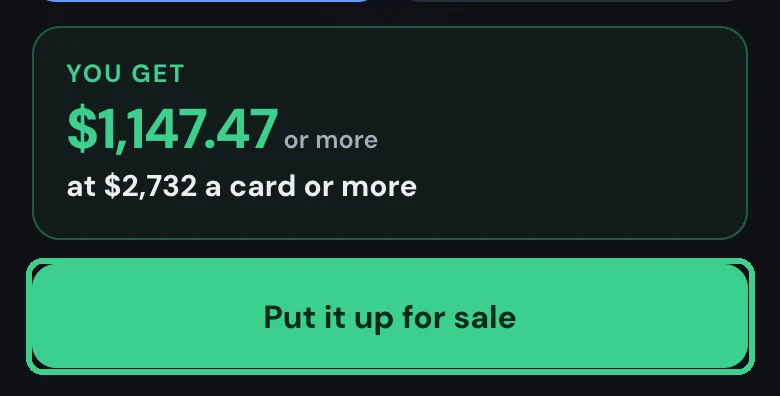
It sells at your price or higher, and the cash goes to your Below balance as it sells.
What happens at your price
How much sells right away depends on how much buyers here will take at your price or better. The page shows it before you list.
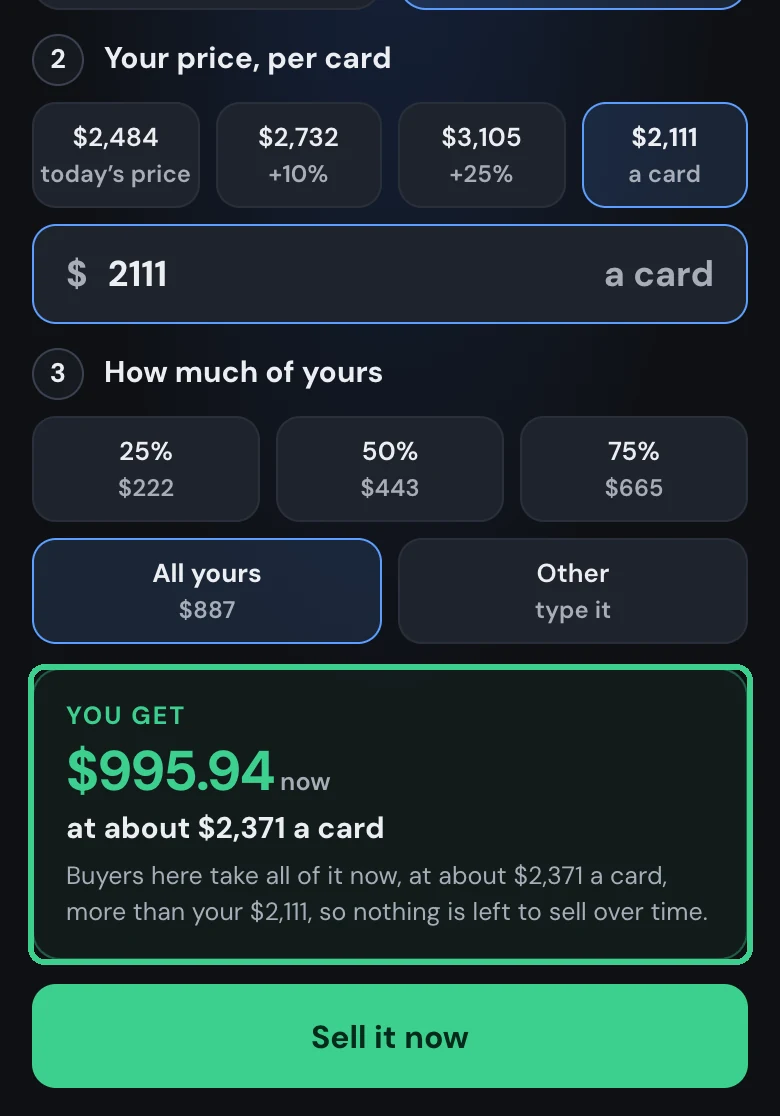
- Well under today's price: it all sells now. Buyers here take all of it at their price, which is more than yours. The button turns into Sell it now.
- Just under today's price: some now, the rest later. Buyers take what they will at your price or better, and the lower your price, the more sells now. The rest waits and sells as buyers pay your price or more.
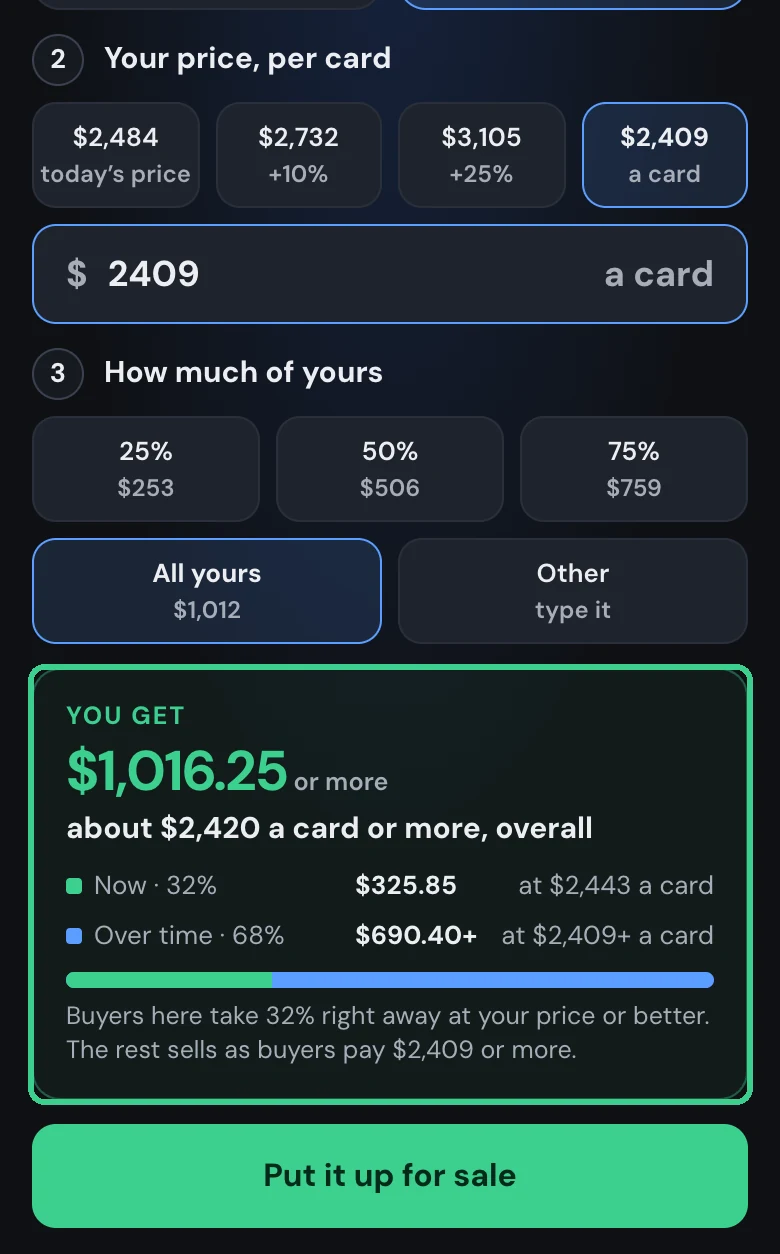
- Over today's price: it waits. Nothing sells now. It sells as buyers pay your price or more.
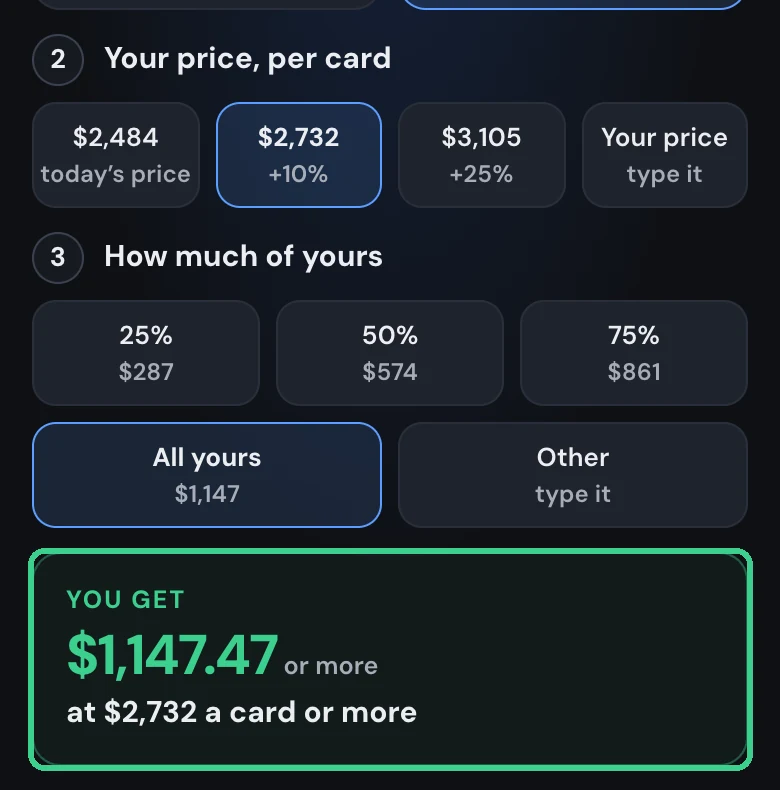
Whatever is waiting stays up for sale until it sells or you stop it.
Good to know
- Stop any time: tap your name, then Up for sale, to see what's waiting and stop it.
- Your cash: sales land in your Below balance. Buy with it, or tap Cash out in your account.